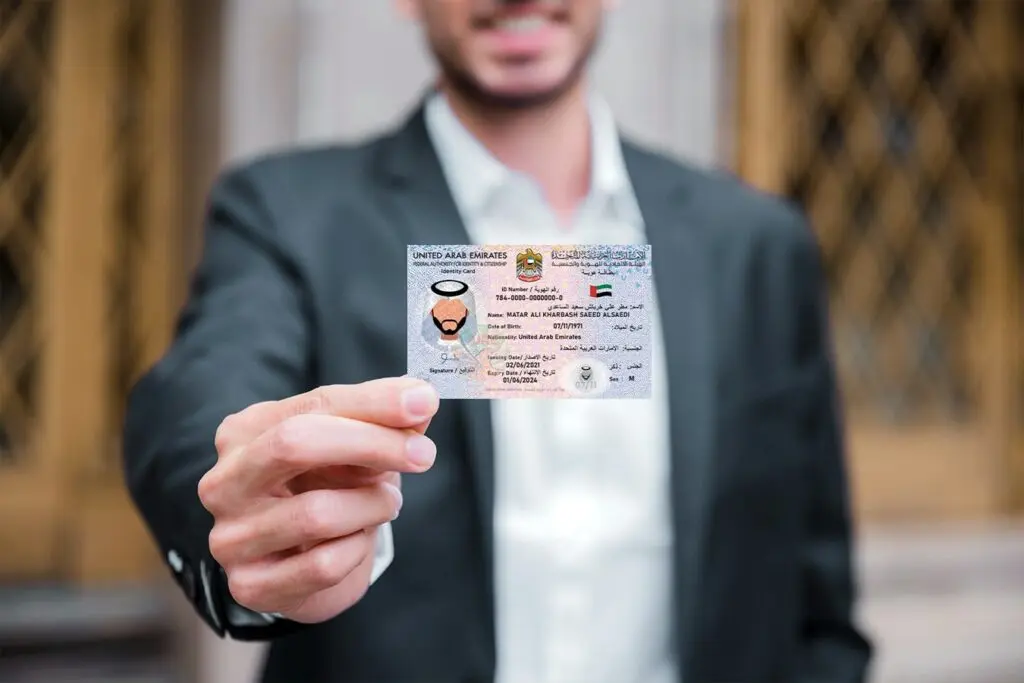
If you are new to the UAE, the first thing you need to sort out is the Emirates ID. It’s not optional. It’s a requirement for all residents of the country, no matter whether you are here for work, family or study. Without it you can’t open a bank account, get healthcare properly or use most government services. Here is exactly how to get it, step by step, with no confusion.
What is an Emirates ID?
The Emirates ID is a smart card issued by the Federal Authority for Identity, Citizenship, Customs and Port Security, called the ICP. In it there is a chip that stores your personal data, biometric information and your unique 15-digit number. That number follows you throughout your time in the UAE. Everyone who lives here legally, including children and newborns, must have the card. Even babies have to have one before they can give finger prints. Once you know that your Emirates ID is ready, you can track it easily. Find out how to check your application progress with the guide on How to Check Emirates ID Status so you know where things stand without calling ICP.
Before applying
Before starting the application, make sure that your UAE residence visa is stamped in your passport. The residence visa has to come first as your Emirates ID application is linked to it. Usually your employer or visa sponsor takes care of the visa stamping part. Once this is done, collect these documents. If you are renewing instead of applying for the first time, you need a copy of your passport, a copy of your residence visa, a recent passport size photograph with white background and your current Emirates ID. Medical fitness test at a government-approved centre is also mandatory for adults before the Emirates ID is issued. It generally includes a blood test and chest x-ray.
How to Submit Your Application
You’ve got two options here. You can do it on line or at a typing centre. Most new residents use a typing centre, as it is easier. They handle the form, the submission and the payment at a small service charge, usually around Dh30 to Dh50 plus the government fee. If you want to do it yourself, visit icp.gov.ae or download the UAEICP app on your phone from the App Store or Google Play. If you have UAE PASS log in with it. Then, go to Services and choose New Identity Card Issuance. Click Start Service. Fill in the form with your personal data and passport details. Upload your passport copy and photo. Please verify your address for delivery. Pay your fees online. Once submitted, a text message will be sent to you to confirm the application and a reference number known as a PRAN. Print the application from your ICP Dashboard. You will need to take this printed copy with you when you go for your biometrics.
What to Expect at the Biometrics Appointment
Once submitted, you will receive an SMS with the date and location of your biometrics appointment at an ICP service centre. You need to go there in person with your passport, visa copy and your printed application. The biometrics process will take approximately 15 to 30 minutes. They’ll take your fingerprints, a face scan and a digital signature. Children under 15 are not required to provide fingerprints. Newborns are issued a card but their biometrics are taken later when they are old enough. Once your biometrics are captured and your application is approved, Emirates Post will print and deliver your Emirates ID to the address that you registered during your application.
How Much Is It?
The standard fee is AED 100 per year of the validity of the visa. The card fee for the two-year residence visa is AED 200. Card: Visa for 5 years AED 500. Also there are small ICP service fees and a delivery charge. If you are applying through a typing centre, add their service fee which is around Dh30 to Dh50. The whole process from submission to receiving the card in your hands normally takes between 5 and 10 working days. Sometimes it comes quicker. Check your status and see exactly where your application is using the ICP app. If your Emirates ID expires and you fail to renew it in time, fines can apply. Fine for late renewal is AED 20/day up to AED 1000. Keep a constant watch on your expiry date. If you are not sure if there are any fines associated with your Emirates ID, you can find out very easily with the step-by-step guide on How to Check Fine on Emirates ID before they build up more.
Damaged or Lost Emirates ID?
In the event that you lose or damage your Emirates ID, you should report this to any police station across the UAE. Obtain the reference number of the report. Then visit icp.gov.ae or a typing centre and select Replace Lost Emirates ID. Submit your police report, passport copy and pay the replacement fee of AED 300. The replacement card is then manufactured and delivered in the same manner as a new card. If you have moved or changed your name, you will need to update the ICP records and apply for a new card. Update your information before the card expires. Some changes need you to visit an ICP Customer Happiness Centre in person.
Renew Emirates ID
The renewal of your Emirates ID is tied to the renewal of your residence visa. Your Emirates ID renewal when visa renewal is the same process as the first application. Pay the card fee, submit via the ICP portal or a typing centre and attend biometrics if required. You can begin the renewal process up to 30 days prior to your current card’s expiration. Don’t let it fall through. The AED 20 per day fine begins from the time it expires. For anything related to your Emirates ID, always use official ICP channels. If you get a call from someone saying they are from ICP or the government and they will process your card quickly for a fee, do not engage. Before responding to any unknown caller regarding your documents, verify the number through the Who Called Me From This Number UAE tool.
The Emirates ID is the most important card you will carry in the UAE. Getting it right the first time saves a lot of stress later on. For more UAE guides, and useful tips on living here, check out everlist.ae.