How to Check Fine on Emirates ID in UAE (2027 Guide)


You can check fines on your Emirates ID online in a few minutes. Use the official ICP website or UAEICP app for federal ID and residency fines. Use GDRFA Dubai if your visa is issued by Dubai. Use MOI, Dubai Police, RTA, or TAMM for traffic fines.
Most checks only need your 15-digit Emirates ID number. Some also ask for your date of birth, file number, or a UAE PASS login. The service to check fines is free on official portals.
Here is the key point most people miss. There is no single “Emirates ID fine” in the UAE. Your ID number links to fines from many authorities. So you pick the right portal based on the type of fine.
Quick steps (ICP website):
- Go to smartservices.icp.gov.ae.
- Open Public Services and choose Fines, then Pay Fines.
- Pick your search type, such as Emirates ID or file number.
- Enter your details and the CAPTCHA.
- Click Search to see any fines and pay online.
This guide explains every method step by step. It also covers fine amounts, payment, exemptions, and fixes for common errors.
What Is a Fine on an Emirates ID?
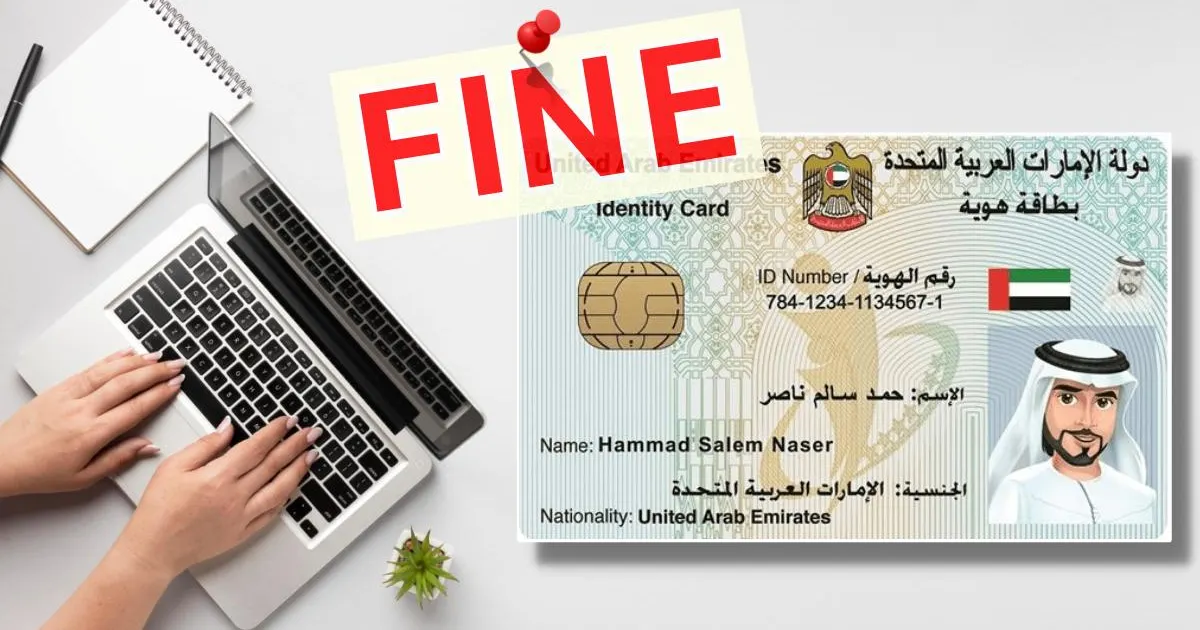
A fine on the Emirates ID is any unpaid penalty linked to your 15-digit ID number. The number usually starts with 784. Many UAE authorities use this number to record violations against you.
People search “Emirates ID fine” for very different reasons. Knowing your fine type saves time, as each type is handled by a different authority.
Types of Fines Linked to Your Emirates ID
| Fine type | What causes it | Who records it |
| ID card late renewal fine | Not renewing your Emirates ID on time | ICP |
| Residency or visa fine | Expired residence visa, late cancellation, visa violations | ICP or GDRFA Dubai |
| Overstay fine. | Staying after your visit or residence visa ends | ICP or GDRFA Dubai |
| Traffic fine | Speeding, red light, parking, and other road offenses | MOI, Dubai Police, Abu Dhabi Police, other police |
| Salary or toll fee | Passing a toll gate without balance | Salik, Darb (Abu Dhabi) |
| Municipality and other fines | Local rule breaches in some emirates | Local government portals such as TAMM |
ICP vs GDRFA: Which One Handles Your File?
This is the most common point of confusion. ICP is the federal authority. It issues every Emirates ID card and handles residency files for Abu Dhabi, Sharjah, Ajman, Umm Al Quwain, Ras Al Khaimah, and Fujairah.
GDRFA Dubai handles residency and visa files issued in Dubai. So if your visa page says Dubai, check GDRFA first. The ID card renewal fine itself still sits with ICP, even for Dubai residents.
Example: Sara lives in Dubai, and her Emirates ID expired two months ago. Her ID late renewal fine shows on ICP. If her Dubai residence visa also expired, that visa fine shows on GDRFA Dubai.
All Official Ways to Check Emirates ID Fines Online
The best method depends on your fine type and your emirate. This table helps you pick the right one in seconds.
| Method | Best for | Details you need | UAE PASS needed? |
| ICP website (smartservices.icp.gov.ae) | ID renewal fines, residency and overstay fines outside Dubai | Emirates ID or file number, date of birth, nationality | Not for public inquiry |
| UAEICP app | Same as ICP website, on your phone | Emirates ID and personal details | Optional, makes it faster |
| GDRFA Dubai website or app | Dubai visa, residency and overstay fines | Emirates ID, file number, UDB number or passport | Not for fines inquiry |
| DubaiNow app | Dubai residency, traffic and other fines in one place | UAE PASS login | Yes |
| MOI UAE app or website | Traffic fines across all emirates | Emirates ID, plate number, licence or traffic file | Varies by service |
| Dubai Police app or website | Dubai traffic fines | Plate, licence, traffic file or fine number | No |
| TAMM (Abu Dhabi) | Abu Dhabi traffic, government and some residency services | UAE PASS login | Yes |
| Amer centre or ICP service centre | When online checks fail or you need help | Emirates ID, passport | No |
Tip: Keep a UAE PASS account active. Many portals now link your fines to your login, so you see everything without typing numbers.
How to Check Emirates ID Fine on the ICP Website
The ICP smart services portal is the main place for an ICP fine check. It covers ID renewal fines and federal residency fines. Follow these steps.
- Open smartservices.icp.gov.ae in your browser.
- Click Public Services at the top of the page.
- Choose Fines, then Pay Fines.
- Select the fine category, such as violations of entry permissions or residences.
- Pick your search type, such as Emirates ID, file number, or passport.
- Enter your ID number, date of birth, and nationality.
- Type the CAPTCHA code and click Search.
- Review the fines list, then pay online if you like.
If no fine appears, the page shows a clear message. That usually means your file is clean for that category.
How to Check the Emirates ID Late Renewal Fine
The card renewal fine sometimes shows up through the ID Card Status or renewal service instead. Open Public Services, pick the ID card status option, and enter your ID number. Any late fee appears in the renewal fee breakdown.
How to Check Fines on the UAEICP App
- Download the UAEICP app from the App Store, Google Play, or AppGallery.
- Log in with UAE PASS, or continue as a guest.
- Tap Services and search for “fines.”
- Enter your Emirates ID details and tap Search.
- View and pay any fines in the app.
Why use the app? It saves your details after you log in. You also get alerts when your Emirates ID or residence visa is close to expiry.
Note: Government portals update their menus from time to time. If a button name looks different, use the search bar on the portal and type “fines.”
GDRFA Fine Check: How to Check Emirates ID Fine in Dubai
Use GDRFA Dubai if your residence visa or entry permit was issued in Dubai. The Fines Inquiry service accepts four search types: Emirates ID, file number, UDB number, and passport number.
Steps on the GDRFA Website
- Visit gdrfad.gov.ae.
- Open the Fines Inquiry service from the Services or Inquiries section.
- Select Emirates ID as the search type.
- Enter your 15-digit Emirates ID number.
- Add your date of birth if the form asks for it.
- Complete the CAPTCHA and click Search.
- Check the fines list and pay online by card.
Which Search Type Should You Use?
| Search type | When to use it |
| Emirates ID | You have a valid or recently expired ID card. |
| File number | You have a residence visa, but no ID yet, or the ID search fails |
| UDB (unified) number | You are a visitor, or your ID is not been issued |
| Passport number | Tourists and visit visa holders checking overstay |
GDRFA Dubai App and DubaiNow
The GDRFA Dubai app works like the website. You can also use the DubaiNow app. It shows residency fines, traffic fines, and utility bills after a UAE PASS login.
Visa Fine Check Dubai for Family and Staff
Sponsors can check fines for family members or domestic workers. Use the dependent’s Emirates ID, passport, or file number. This helps before a visa renewal or cancellation.
Need help? Call the Amer call center at 800 5111 or visit an Amer center with your passport and Emirates ID.
Emirates ID Fine Check in Abu Dhabi and Other Emirates
Abu Dhabi residents use ICP for ID and residency fines. For traffic and local government fines, TAMM and Abu Dhabi Police are the main tools.
Emirates ID Fine Check Abu Dhabi on TAMM
- Open tamm.abudhabi or the TAMM app.
- Log in with UAE PASS. TAMM does not work without it.
- Search for “traffic fines” or go to the vehicles and transport section.
- Your fines linked to your Emirates ID appear on screen.
- Select the fines and pay by card.
TAMM also offers many ICP services for visas, residency, and Emirates ID. This feature makes it a handy single stop for Abu Dhabi residents.
Abu Dhabi Police Website and App
To get started, open adpolice.gov.ae or the Abu Dhabi Police app. Go to the traffic fines inquiry. You can search by plate number, license number, traffic file, or Emirates ID.
Save money: Abu Dhabi Police gives a 35% discount on most traffic fines paid within 60 days. You get 25% off if you pay after 60 days but within one year. Serious violations are not included.
Sharjah, Ajman, RAK, UAQ, and Fujairah
| Emirate | ID and residency fines | Traffic fines |
| Sharjah | ICP website or UAEICP app | MOI UAE app, Sharjah Police |
| Ajman | ICP website or UAEICP app | MOI UAE app, Ajman Police |
| Ras Al Khaimah | ICP website or UAEICP app | MOI UAE app, RAK Police |
| Umm Al Quwain | ICP website or UAEICP app | MOI UAE app, UAQ Police |
| Fujairah | ICP website or UAEICP app | MOI UAE app, Fujairah Police |
The MOI UAE app is the easiest choice for traffic fines in these emirates. It shows fines from across the country in one list.
How to Check Traffic Fines Using Emirates ID
Traffic fines are the most common fines people find under their ID. Your Emirates ID links to your driving license and traffic file. So one search can show fines from many emirates.
MOI UAE App or Website (All Emirates)
- Download the MOI UAE app or visit moi.gov.ae.
- Log in with UAE PASS, or use the guest traffic fines service.
- Choose Traffic Fines or Fines Inquiry and Payment.
- Select Emirates ID, plate number, license, or traffic file as the search type.
- Enter the details and view your fines.
- Pay online by card.
Dubai Police App or Website
Dubai Police handles most traffic fines issued in Dubai. Open the Dubai Police app or dubaipolice.gov.ae and select Pay Fines. Search by plate number, license number, traffic file, or fine number.
RTA Dubai
The RTA app and website show fines linked to your traffic file. RTA also handles parking, Salik, metro, tram, and bus fines. Some RTA fines can be searched with your Emirates ID.
Why a Traffic Fine May Not Show Under Your ID
Some fines are recorded against the car, not the driver. This often happens with company cars, rented cars, and cars registered to a spouse. In that case, search by plate number instead.
Example: Ahmed drives a company car in Sharjah. His ID search on MOI shows no fines. A plate number search shows two speeding fines on the company vehicle. He tells his HR team to settle them.
Visa Fine Check Dubai and UAE: Overstay Fines Explained
An overstay fine starts when you stay in the UAE after your visa or grace period ends. ICP applies a fine of AED 50 for each extra day. (ICP)
How to Check Your Overstay Fine
- Dubai visa: Use the GDRFA Fines Inquiry with your Emirates ID, file number, UDB, or passport.
- Other emirates: Use ICP smart services under Fines, then violations of entry permissions or residence.
- Tourists: Search by passport number, as you have no Emirates ID.
Grace Periods Before Fines Start
Residents get a grace period after their visa expires or is cancelled. ICP lists a 30-day grace period for most categories. Some groups, such as Golden Visa holders and certain skilled workers, may get longer.
The exact period depends on your visa type. Always check your cancellation paper or ICP record for your final legal date.
Simple Overstay Fine Example
Your grace period ends on 10 March. You leave the UAE on 20 March. You stayed 10 extra days, so the fine is 10 x AED 50 = AED 500.
Important: Your Emirates ID is tied to your residence visa. When the visa ends, the card is no longer valid for most services. So a visa problem often shows up as an “Emirates ID problem” at the airport or bank.
Emirates ID Fine Amounts in UAE
The Emirates ID late renewal fine is AED 20 per day. It starts after a 30-day grace period from the expiry date. The maximum is AED 1,000.
| Violation | Fine (AED) |
| Not renewing Emirates ID within 30 days of expiry | 20 per day, max 1,000 |
| Staying after the visa or grace period ends (overstay) | 50 per day |
| Giving incorrect data to ICP | Up to 3,000 |
| Inaccurate printing of an application | 100 |
| Not paying for ICP services received | 5,000 |
| Obstructing or not cooperating with ICP staff | 5,000 |
How the ID Late Fine Adds Up
Your ID expires on 1 May. The 30-day grace period ends on 31 May. You renew on 20 June, which is 20 days late. Your fine is 20 x AED 20 = AED 400.
After 50 late days, the fine reaches the AED 1,000 cap and stops growing.
Note: Fine amounts can change with new rules. Always confirm the final figure on the ICP or GDRFA portal before paying.
How to Pay Fines on Emirates ID
You can pay most fines online right after you check them. Card payment is the fastest way.
Online Payment Options
| Fine type | Where to pay online |
| ID renewal and federal residency fines | ICP website, UAEICP app |
| Dubai visa and residency fines | GDRFA website or app, DubaiNow |
| Traffic fines | MOI UAE, Dubai Police, RTA, TAMM, Abu Dhabi Police, local police apps |
Offline Payment Options
- ICP customer happiness centers
- Amer centers in Dubai
- Police service centers for traffic fines
- Airport immigration counters, mainly for overstay fines when leaving
Paying in Installments
Some banks let you pay large traffic fines in interest-free installments using their credit cards. Abu Dhabi Police lists partner banks such as FAB, ADCB, ADIB, Mashreq, and Emirates Islamic. Check your own bank’s current terms first.
After You Pay
- Save the payment receipt or reference number.
- Wait a short time, then check again to confirm the fine is cleared.
- Keep the receipt until your renewal or travel is complete.
Why keep the receipt? Systems sometimes take time to sync. A receipt proves payment if the fine still shows on another portal.
Emirates ID Fine Exemptions, Waivers, and Disputes
Not everyone pays the ID late renewal fine. ICP lists three groups that are exempt.
Who Is Exempt From the ID Late Renewal Fine
- People who left the UAE, stayed abroad for over three months, and whose card expired after they left.
- People whose card expired after deportation by court or official order, or whose passport was held for a case. They need an official letter as proof.
- Citizens who had no card for the time before getting UAE nationality and a family book.
How to Request a Fine Waiver or Reduction
ICP and GDRFA accept requests to waive or reduce fines in some cases. Common reasons include medical emergencies, official errors, or events outside your control. You usually need proof, such as hospital reports or travel records.
Apply through the ICP or GDRFA portal, or visit a service center. There is no guarantee of approval, so pay urgent fines if you must travel soon.
Amnesty Programmes
The UAE sometimes runs amnesty periods for residency violators. These may cancel overstay fines for people who leave or fix their status. Only trust dates announced by ICP, GDRFA, or official news.
How to Dispute a Wrong Traffic Fine
If a traffic fine looks wrong, raise an objection with the police force that issued it. Dubai Police and Abu Dhabi Police both accept online objections. Do this early, since some discounts expire while you wait.
Common Problems When Checking Emirates ID Fines (and Fixes)
Most errors come from wrong details or the wrong portal. This table shows quick fixes.
| Problem | Likely cause | What to do |
| “No record found” | Wrong portal for your fine type | Try GDRFA for Dubai files, ICP for others |
| ID number rejected | Typo or extra spaces | Enter all 15 digits with no dashes |
| Date of birth mismatch | Format or record error | Use the format shown on the form |
| OTP not received | Old mobile number on file | Update your number at ICP or Amer |
| Traffic fine missing | Fine is on the vehicle, not you | Search by plate number |
| Paid fine still showing | Systems not synced yet | Wait a day, keep your receipt |
| Portal not loading | Maintenance or browser issue | Try the app or another browser |
When to Visit a Service Center
Go in person if online checks keep failing. Also go if your record has an error you cannot fix online. Take your passport, Emirates ID, and any receipts.
Watch out for scams: Only use official .gov.ae websites and official apps. Fake sites copy government designs to steal card details. Never share your OTP with anyone who calls you.
Practical Tips to Avoid Emirates ID Fines
Small habits save you from big fines. These tips come from common mistakes UAE residents make.
- Set two reminders. Set one alarm for 60 days and another for 30 days before your ID and visa expire.
- Review fines before big steps. Do a quick review before visa renewal, job change, travel, or selling a car.
- Keep your mobile number updated. ICP sends renewal alerts by SMS. An old number means missed warnings.
- Know your grace period. Please read your cancellation paper to know your last legal day.
- Pay traffic fines early. Early payment can bring discounts, as in Abu Dhabi.
- Check family members too. Sponsors pay fines for dependents, so check their files as well.
- Use UAE PASS. One login shows most of your records across portals.
Why Checking Early Matters
Unpaid fines can block your ID renewal, visa renewal, or vehicle registration. Serious unpaid immigration fines can also cause problems when you leave the UAE. A two-minute check can prevent a stressful day at the airport.
Final Words
Checking a fine on your Emirates ID is quick once you know where to look. Use ICP for ID and federal residency fines. Use GDRFA for Dubai visa files. Use MOI, police apps, or TAMM for traffic fines.
Make a fine verification part of your routine before renewals and travel. It takes two minutes and can save you money and stress. When in doubt, visit an ICP or Amer center for help.
People Also Ask: Emirates ID Fine FAQs
How can I check my fine on the Emirates ID?
Visit smartservices.icp.gov.ae or use the UAEICP app. Choose Fines, enter your 15-digit Emirates ID, and search. For Dubai visas, use GDRFA Dubai. Traffic fines can be checked using MOI UAE.
How do I check my Emirates ID fine in Dubai?
Use the GDRFA Dubai Fines Inquiry service. Select Emirates ID as the search type and enter your number. Dubai traffic fines show on Dubai Police, RTA, or DubaiNow.
Can I verify Emirates ID fines without UAE PASS?
Yes. The ICP and GDRFA fine inquiry pages work with your ID number and CAPTCHA. TAMM and Dubai Now require a UAE PASS login.
What is the fine for an expired Emirates ID?
The fine is AED 20 per day after a 30-day grace period. The total fine cannot go above AED 1,000.
What is the overstay fine for a visa in the UAE?
The overstay fine is AED 50 per day. It starts after your visa or grace period ends.
Is the ICP fine check free?
Yes. Checking fines on official portals is free. Typing centers may charge a small service fee for helping you.
Can I check someone else’s Emirates ID fines?
Sponsors can check fines for family members and domestic workers. Use the dependent’s ID, passport, or file number.
Can I travel with unpaid fines on my Emirates ID?
Small traffic fines usually do not stop travel. Unpaid overstay or serious immigration fines can stop you at the airport. Clear them before you fly.
Why does my Emirates ID show no fines, but my renewal is still blocked?
The fine may sit on another portal, such as traffic or GDRFA. Please check all relevant portals or inquire at a service center.
How long does it take for a paid fine to clear?
Most online payments clear quickly. Some take a little longer to show across all systems. Keep your receipt until it updates.