

Do you want to delete an eSIM from your iPhone? Whether you have multiple SIMs or plan to delete your eSIM as you sell your phone, a seamless deletion process is crucial. Before deleting your eSIM, you should learn how to do it and why you are doing this.
If you are a beginner, you can lose your device’s data once you have deleted your eSIM. In this guide, we will provide you with the essential tips to keep your data safe even after eSIM deletion. Now, let’s come to the main concern: how to delete eSIM from iPhone. We have provided you with the step-by-step guidelines to remove the eSIM from your device.
Before starting the deletion process, make sure that your device has a strong Wi-Fi connection and all data is backed up to prevent any data loss. Read this blog thoroughly for the insightful thoughts and necessary guidelines.
Why Would You Want to Delete eSIM From iPhone?
There could be several reasons for the deletion of eSIM from your iPhone. You might have multiple SIMs or want to put your phone on sale.
Here, we have mentioned some possible reasons for the deletion of your eSIM from your iPhone.
Let’s look at them one by one:
-
Switching Carriers
You might plan to switch to the new mobile service carrier via the new eSIM. That’s why you are opting for your old eSIM deletion. This step will clear the slot for activation of the new service carrier plan on your new eSIM.
-
Expired Travel Plan
Some people are fond of travelling abroad frequently. Therefore, they have to change the eSIMs according to the location. That’s why they delete the old eSIMs for tidiness when they are at home.
-
Troubleshooting Connection Issues
Some people delete their old eSIM and download it again after some time. This step helps them to improve the connectivity of their mobile devices and resolve any device errors.
-
Selling or Giving Your Phone
If you plan to sell your iPhone, deleting the eSIM will help keep your personal data safe and private.
-
Device Upgrade or Replacement
There could be a reason that a person buys a new phone and wants to transfer their old phone’s eSIM profile to the new phone. That’s why he is deleting the old eSIM after transferring its data to the new mobile.
-
Keeping Things Organized
If your iPhone has more than one eSIM, then removing an eSIM will help you keep things organized.
How to Delete an eSIM From an iPhone
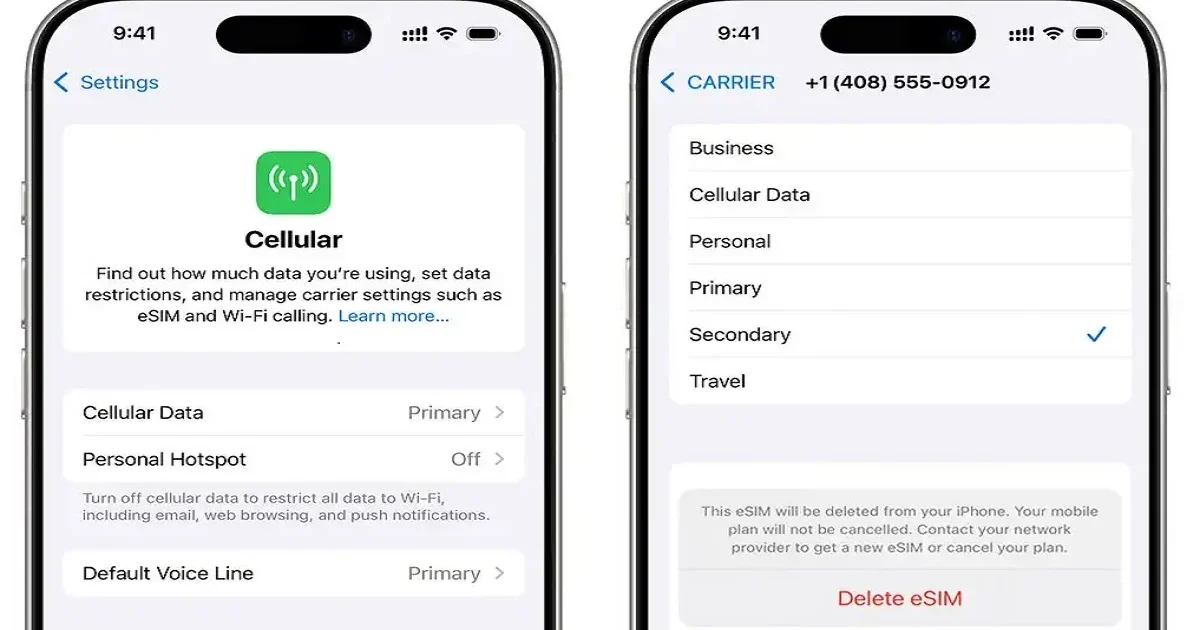
To delete the eSIM from an iPhone, follow these steps:
- Open the “Settings” of your iPhone.
- Select the “Mobile Service” Option.
- Now, choose the data plan that you want to remove.
- Click on the “Delete eSIM” option.
- Click on “Delete eSIM” again for confirmation of eSIM deletion.
How to Delete an eSIM From an iPad
We have provided you with step-by-step guidelines to delete an eSIM from your iPad. These steps are:
- Open the “Settings” of your iPad.
- Click on the “Cellular Data” option.
- Now, choose the data plan that you want to remove.
- Click on the “Delete eSIM” option.
- If you want to cancel the plan, you can do so easily.
- If you want to confirm the deletion, click the “Delete eSIM” option again.
Things to Consider Before Deleting an eSIM From iPhone
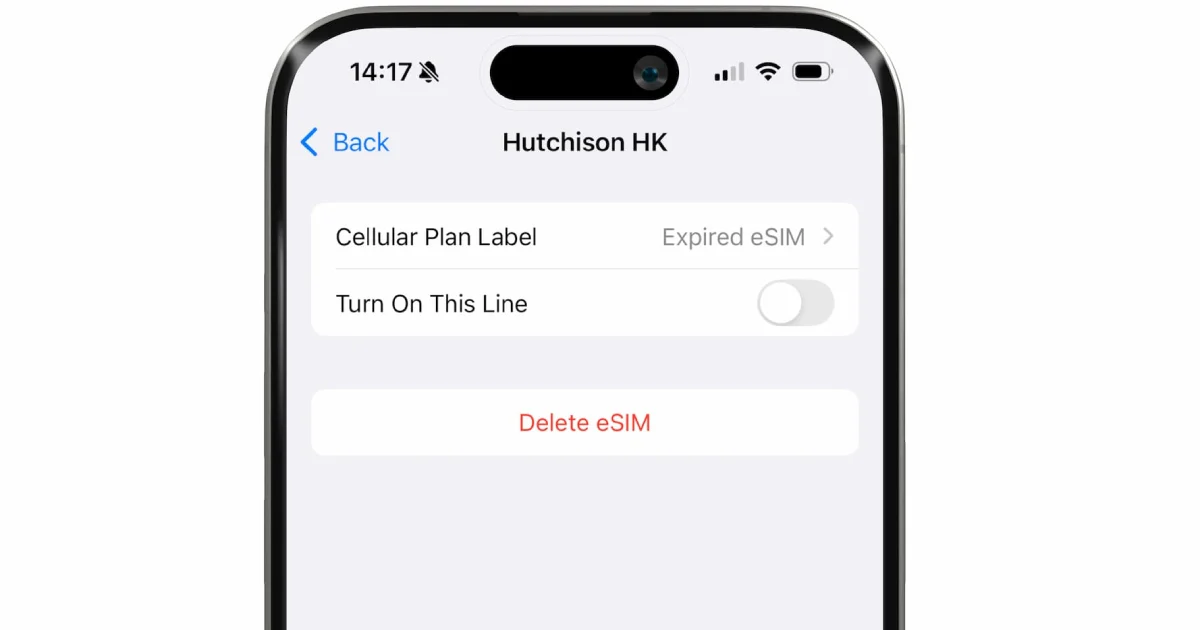
Before deleting an eSIM from your iPhone, consider the following recommendations:
1. Stable Wi-Fi Connection
A strong network connection is required to activate or delete the new eSIM. Therefore, keep your Wi-Fi connection stable during the whole process. This will also help you to hold your SIM back when you need it.
2. Data Backup
Before removing the eSIM from your iPhone, make sure that all the contacts and data from your old eSIM are completely backed up. Deleting the eSIM should not affect your data recovery.
3. Carrier Switch
If you plan to switch carrier service, remove your old eSIM once the carrier service switching has completed. Your new carrier should be properly activated, and the old eSIM should be deactivated before the deletion process.
4. Selling the Device
If you are putting your iPhone on sale, deleting the old eSIM will be helpful for the privacy and security of your personal data.
5. Travelling
If you have recently come back to your home from abroad, delete the eSIM of that country. However, remove the eSIM only when you are sure that you don’t need the local location of that country.
Conclusion
If you have more than one eSIM or want to trade your iPhone, deleting the eSIM will be beneficial for you. Before selling your iPhone, removing the eSIM will help you save your personal information. Additionally, deleting the eSIM and reinstalling it also helps to clear any device errors. However, you should learn how to delete the eSIM from your iPhone before starting the process. We have provided easy steps and essential tips that will help you throughout the process. Read this blog carefully to ensure successful eSIM deletion.