
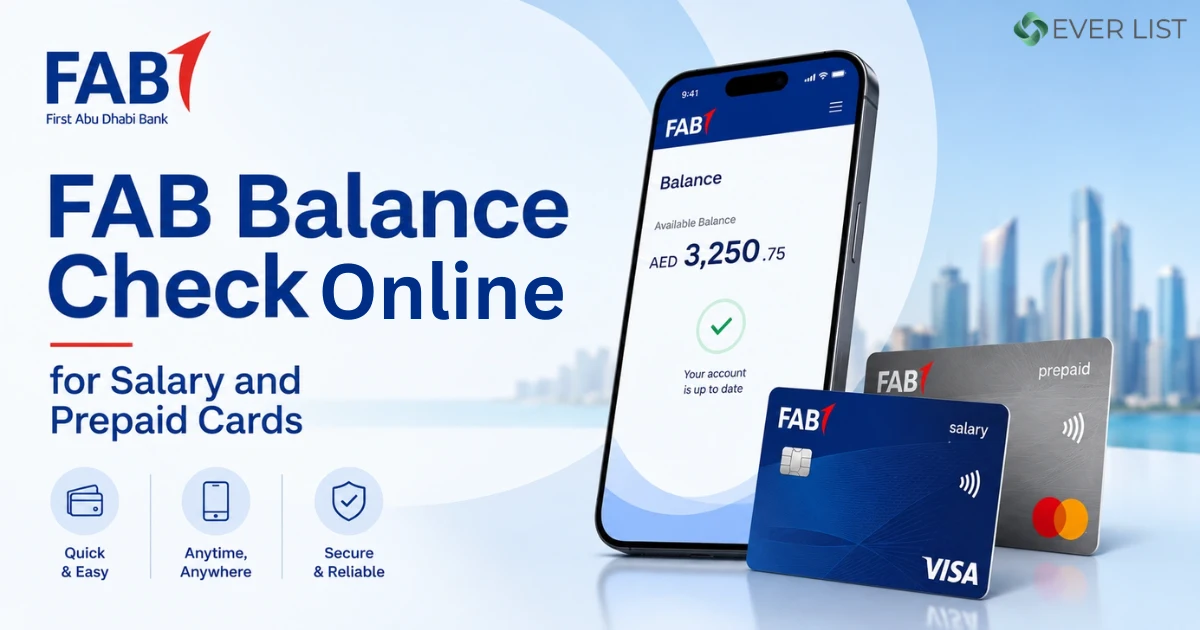
Want to check your FAB prepaid card balance online? You can do it in under a minute on the official Magnati portal. You only need the last 2 digits of your card number and your Card ID. This guide shows you each step.
| Step | What to do |
|---|---|
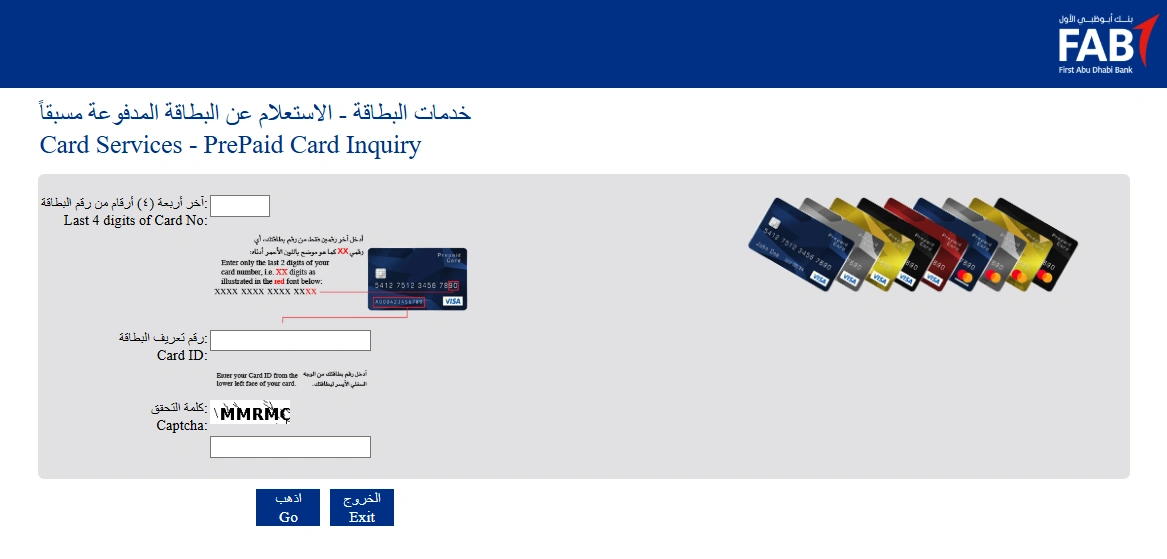
| 1 | Tap the "Check Balance on Magnati" button below. It opens the official portal in a new tab. |
| 2 | In the "Last four (4) digits of card number" box, enter only the last 2 digits of your card. Example: if your card ends in 7890, enter 90. |
| 3 | In the "Card ID" box, enter the Card ID printed on the lower-left face of your card. |
| 4 | Enter the verification word (captcha) exactly as shown. |
| 5 | Click "Go" and your current prepaid card balance will appear. |
Important: Always enter your card details on the official Magnati portal only. Never share your full card number, PIN, CVV, or OTP with any other website or person.
Check Balance on Magnati →
Opens the official portal • ppc.magnati.com
FAB Balance refers to the funds, transaction history, and status of your First Abu Dhabi Bank Payment cards. The PPC NAPD refers to the Magnati Payment Card portal, which is used to check the FAB balance for Ratibi gift or travel cards. Checking the balance through this portal is important to ensure the status and security of your account, as well as to monitor any unauthorised transactions.
Additionally, you can also check the funds availability on your account from your own home. Other than that, checking your balance online also provides free and easy tracking. You can find several ways to verify your FAB balance status online, such as the FAB banking mobile app. However, using any online portal appropriately is necessary to avoid any troubleshooting problems.
We have mentioned the best portals and a step-by-step guide for FAB balance check online 2026. Stay with us till the end for better guidance and successful results.
Compare All FAB Balance Check Methods
| Method | Speed | Needs Internet | Best For |
|---|---|---|---|
| FAB Mobile App | Instant | Yes | Everyday users with a smartphone |
| Online Banking (bankfab.com) | Instant | Yes | Desktop and laptop users |
| Prepaid Card Portal | Instant | Yes | Ratibi and prepaid card holders |
| SMS Banking | A few seconds | No | Users without internet access |
| ATM | Instant | No | Users near a FAB ATM |
| Phone Banking | 1 to 2 minutes | No | Non tech savvy users |
| WhatsApp Banking | Instant | Yes | Users who prefer chat apps |
| Payit Wallet | Instant | Yes | Ratibi users without a full bank account |
About First Abu Dhabi Bank (FAB) and PPC- Cards
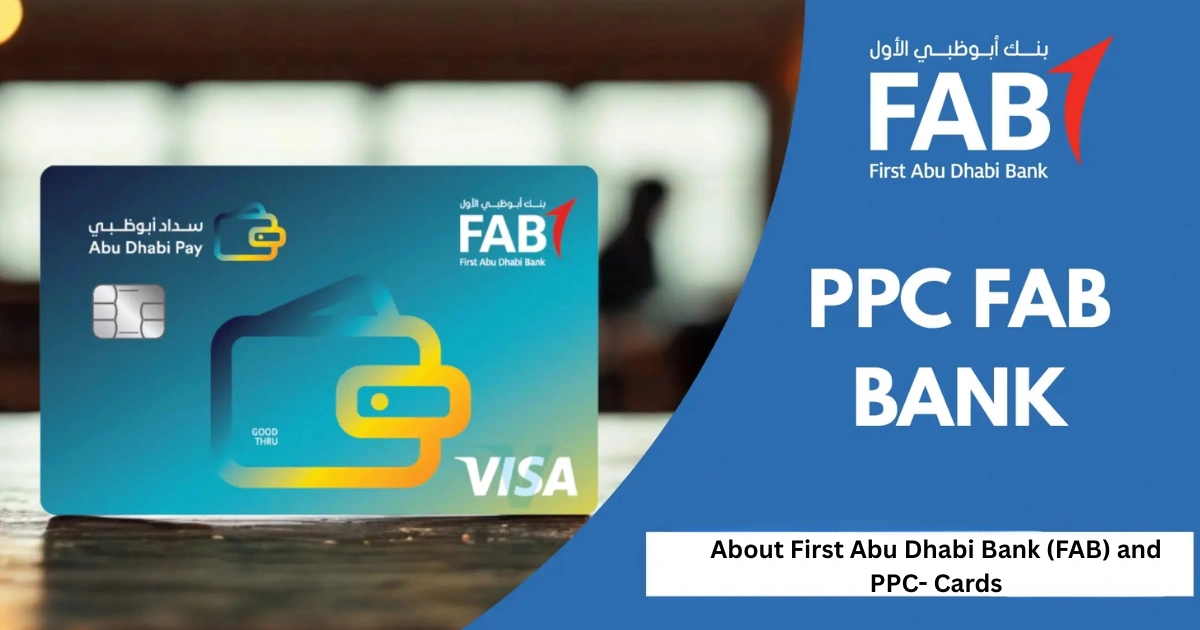
First Abu Dhabi Bank is one of the largest banks in Dubai. This financial centre was first launched in 2017 in the MENA region. This institution offers various services, including investment, corporate, and Islamic banking. The PPC or NAPD is like a debit card, which is used for the FAB balance. This card has a prepaid balance, allowing the customers to use only the available funds.
Additionally, the PPC card is used for the employees to get a quick salary. However, whether you use the salary card, Ratibi card, or PPC card, checking the FAB balance is necessary for your convenience and security.
Top Methods to Check FAB Balance Online in 2026
Here are the top and commonly used methods for the enquiry of your FAB balance on the PPC or NAPD card.
1. PPC FAB Balance Inquiry Portal
You can check your FAB balance of the PPC card through this method. To do this, go to the official website of PPC cards, ppc.bankfab.com, and add your card ID number andthe last two digits of your card number. Solve the CAPTCHA puzzle and tap on the “Go” button. Your salary or card status and recent transaction details will appear on the screen.
Steps:
- Go to ppc.bankfab.com.
- Enter the last two digits of your card number.
- Enter your Card ID, printed on the front of your card.
- Click “Go.”
- Your balance and recent transactions appear right away.
2. FAB Mobile App
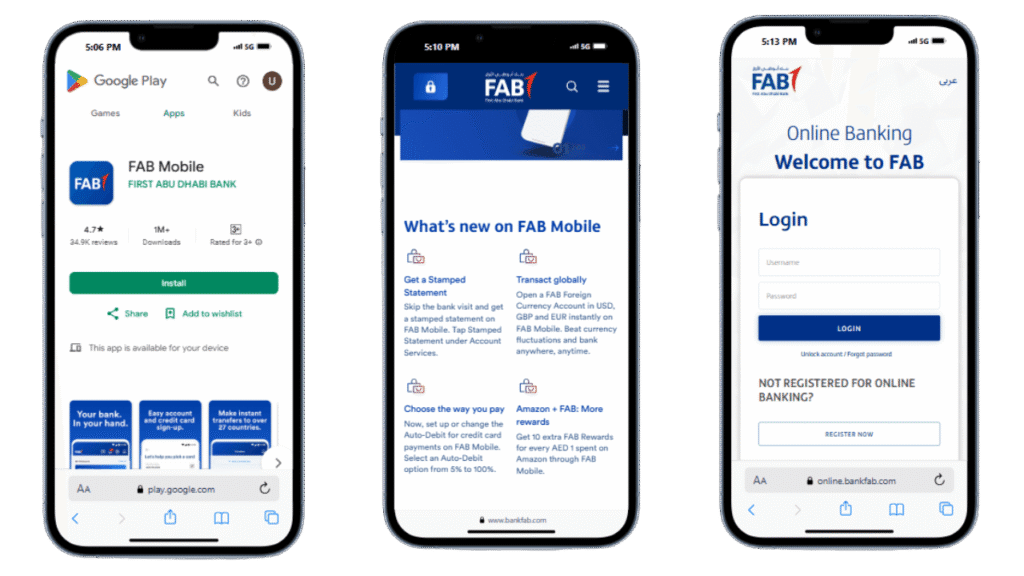
The simplest method of tracking money for many users is using the FAB Mobile App. It is compatible with Android and iOS and allows the user to access balance information instantly.
Steps:
- Install the FAB Mobile App in the app stores ofGoogle Play or the App Store.
- Using your online banking information, log in.
- Tap onMy Accountsor My Cards.
- The balancein your bank will be reflected immediately.
The application not only helps check balance but also enables transferring of money, paying bills and managing prepaid card services. This would render it the most user-friendly to the majority.
3. Payit Wallet App (FAB Digital Wallet)
Payit Wallet app is another method to check your FAB balance, current PPC card status and transfer money from wallet to wallet. To access this app, you have to download it from the Google Play Store or App Store. Then, register the app by entering your Emirates ID number. Now, login the app by adding your fingerprint or app PIN.
Look for the dashboard on the home screen of your app. Your payit balance will appear on the screen. However, if you linked the Rabiti or PPC card to this app, look for the required section. The particular balance or funds related to your Rabiti or PPC card will be instantly available.
Steps:
- Open the Payit app and log in, or register with your UAE mobile number and Emirates ID.
- Tap “Link FAB Account” or “Link Ratibi Card.”
- Enter your card number, Emirates ID, and registered mobile number.
- Your balance appears on the home screen once linked.
4. FAB Online Banking Website
This is another effective way to check your FAB balance details. To apply this method, visit the official FAB portal. Now, tap on the login/sign-in option and click on “Personal Online Banking UAE”. Then, enter your personal details, including your Emirates ID number, password or face ID. Your account details will display on the screen. To download your salary statements or PPC card status, look for the “Accounts” section.
Steps:
- Go to www.bankfab.com.
- Click “Login” and choose “Personal Online Banking.”
- Enter your User ID and password.
- Confirm with the OTP sent to your phone if asked.
- Go to the “Accounts” tab to see your balance and recent transactions.
- Log out when you are done, especially on a shared computer.
5. FAB Bank Balance Check via WhatsApp
You can check your account balance straight from a WhatsApp message without ever downloading an app or visiting the branch, with First Abu Dhabi Bank’s WhatsApp banking service.
Steps:
To check FAB balance using WhatsApp:
1. Save FAB’s official WhatsApp number: +971 2 449 4499 to your contacts
2. Go to WhatsApp and type in “Hi” or “Balance”.
4. Confirm your identity by following the automated instructions by dialing your registered mobile number.
The account balance will be shown on your FAB account in the chat.
WhatsApp banking is accessible around the clock, especially helpful for those who are Ratibi card holders and salary account holders who need to check their balance quickly without having to open a separate banking application.
Note: Official FAB WhatsApp number is above. Only use this number. Don’t give out your complete card number or PIN via any messaging system.
Offline and Alternative Balance Check Methods
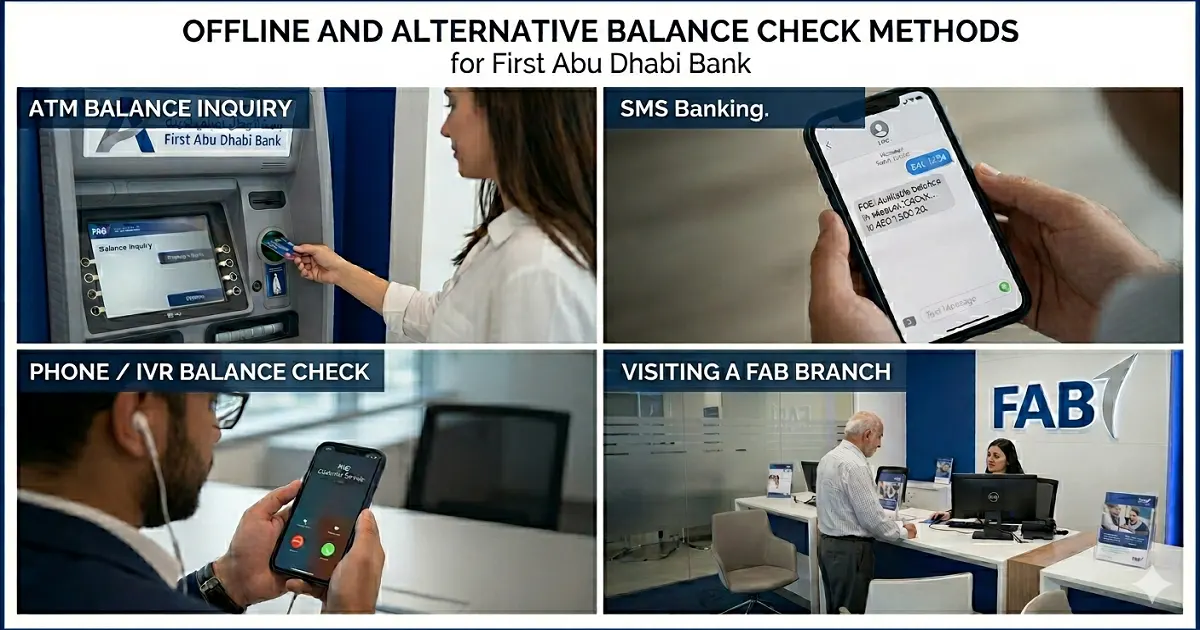
Other than the online portals, you can also check your PPC card balance via these offline methods:
6. ATM Balance Inquiry
To use this method, enter your FAB card or PPC card in the ATM. Add your 4-digit pin and choose the “Balance Inquiry” option. The current balance of your balance status will show on the screen. You can also get the receipt for your balance enquiry.
Steps:
- Insert your FAB debit, credit, or prepaid card.
- Enter your four digit PIN. Always cover the keypad while typing.
- Select “Balance Inquiry” from the menu.
- Your balance appears on the screen.
- Print a receipt if you want a paper record.
- Take your card and receipt before you leave.
7. SMS Banking
You can also take advantage of the SMS Banking service. To use this app, you have to register your mobile phone number on this message app. Once you have registered your mobile number, send BAL [last 4 digits of account number] to 2121. Example: BAL 1234, sent to 2121. You will receive your current balance instantly. The account should be like BAL XXXX, which means your account type, the last four digits of your ID number, and a space between them. After sending the message, you will get your account’s current status instantly.
Steps:
- Make sure your mobile number is registered with FAB.
- Send the required SMS command to 2121.
- You will get a reply with your balance within a few seconds.
- If SMS banking is not active on your number, call FAB customer care to activate it.
8. Phone/ IVR Balance Check
You can also enquire about your FAB account details via the customer care number. The residents of Dubai can access this service by dialling 600 52 5500. However, the outsiders of Dubai can’t call through this number. They should dial +971 2 61 1511. After dialling the number, choose your familiar language and contact the call agent. The call agent will ask some details about your Identity card and FAB card. Then, he verbally tells you about the recent account status.
Steps:
- Call 600 52 5500 within the UAE, or +971 2 681 1511 from outside the UAE.
- Follow the voice prompts to verify your identity.
- The system will read out your balance and recent transactions.
9. Visiting a FAB Branch
If all the online portals and offline methods are not useful for you and you are unable to find your account details, visit any FAB branch. Tell them about your account and ID details, and they will check your FAB balance status manually. However, it is advisable to ensure you have kept your FAB card and ID card before visiting the FAB branch.
Common Issues While Checking the FAB Balance

Here are some common problems that people face when inquiring about their FAB balance status:
Gateways or Portal Not Loading: Sometimes, the gateways or official portals do not load due to a poor network connection or a system error.
Incorrect card ID or Digits Error: Mostly, people enter the wrong ID or FAB card number, which leads to troubleshooting in checking the balance. Therefore, you should enter your ID number carefully to avoid any problems.
Mobile App Login Problems: There can be mobile login problems due to network connectivity, gateways or any system error. If you face this problem, you shouldn’t try to log in repeatedly, but wait for a while and then try to log in.
SMS Not Working: In some cases, your SMS app for FAB balance check does not work. Your mobile number might not be registered yet, or you may have mistakenly entered the incorrect number while registering.
ATM Not Showing Correct Balance: UAE residents may also face the problem that the ATM does not show the exact status. This can be due to an ATM system error. In this case, you should use the ATM after a few days.
Common Problems and Fixes
My ATM is not reading my card. Try wiping the card and using a different FAB ATM nearby. If the problem continues, visit a FAB branch for a replacement card.
SMS balance check is not working. This usually means your mobile number is not registered with FAB. Call FAB customer care to register it.
I forgot my online banking password. Use the “Forgot Password” link on the login page, or call FAB customer care to reset it.
My prepaid card balance is not showing. Double check the last two digits and Card ID you entered. If it still fails, contact FAB support directly.
What is a blocked amount on my account? A blocked amount is money held temporarily by FAB during a transaction, such as an ATM withdrawal or card payment, until it is fully processed.
Security Tips
- Never share your OTP, password, or PIN with anyone
- Avoid checking your balance on public wifi
- Always log out after using online banking on a shared device
- Only use official FAB channels: the FAB app, bankfab.com, or ppc.bankfab.com
- Ignore calls or messages asking for your banking details, FAB will never ask this way
Final Words
FAB balance means the transaction history, prepaid funds or salary available on your First Abu Dhabi payment card. To check this balance, you can use many online portals, such as the FAB mobile banking app or payit wallet app. Additionally, offline options are also available, including SMS app, FAB customer care number and ATM. We have mentioned all the best methods to check your account details. Try these apps for a quick and convenient balance check. if you face any problem, go to your nearby FAB franchise.
FAQs – FAB Balance Check
How can I check my FAB balance without the app?
You can check your balance through online banking at bankfab.com, by SMS to 2121, at any FAB ATM, or by calling 600 52 5500.
How do I check my Ratibi card balance?
Go to ppc.bankfab.com and enter the last two digits of your card number and your Card ID. No login is required.
Is there a fee for checking my FAB balance?
No, checking your balance through official FAB channels is free. Using a non FAB ATM may bring a small charge from that machine’s operator.
What is the FAB SMS number for balance check?
The FAB SMS number is 2121.
What is the FAB customer care number?
The FAB customer care number is 600 52 5500 within the UAE, or +971 2 681 1511 from outside the UAE.
Do I need a minimum balance in my FAB account?
Most FAB personal savings accounts require a minimum balance of AED 3,000. Elite savings accounts usually have no minimum balance requirement.
What is FAB’s SWIFT code?
FAB’s SWIFT code is NBADAEAAXXX.
Can I check my FAB balance from outside the UAE?
Yes. The FAB Mobile App and online banking work from anywhere with internet access. For phone banking, use the international number +971 2 681 1511.