
How to Check an Etisalat Number? 5 Quick and Easy Ways – 2027
Many Etisalat users face a common problem of forgetting their mobile numbers. This usually happens when you buy a new Etisalat SIM card and use it to make calls. Knowing how to check your Etisalat number is very important. You may need it to recharge your balance, share your contact details, register for apps, activate online services, or update your records.
The good news is that Etisalat offers many easy ways to check your number without any technical knowledge. In this blog, you will learn all possible methods to check an Etisalat number. We will also cover.
What is Etisalat?
Etisalat is one of the most well-known telecommunication companies in the world. This company was founded in 1976. They connect people through modern communication technology. It provides mobile service, internet, TV, and more digital solutions in many countries, including.
- UAE
- Saudi Arabia
- Egypt
- Afghanistan
- Morocco
- Nigeria
- Central African Republic
Each country has local Etisalat services designed to meet customer needs. Etisalat offers both prepaid and postpaid SIM cards.
Methods to Check the Etisalat Number
Some useful methods for finding the Etisalat number are given below. Have a look at them:
1. Using SSD Code
In this method, you must have some balance on your Etisalat SIM to check the Etisalat number.
- Open your phone
- Open the Dialer app
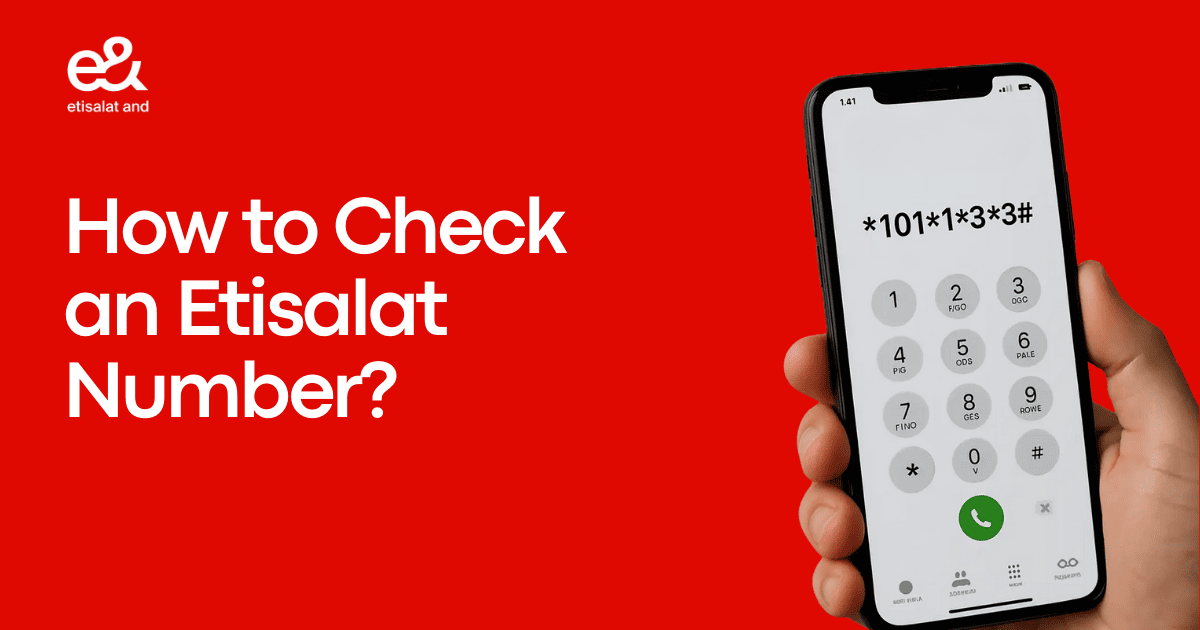
- Dial the code *101#. If you have 2 SIMs in your phone, select the Etisalat number and press the call button.
- Your Etisalat number will be displayed on the screen
2. Using the Etisalat App

Etisalat offers an official app for its users that will help them find their number.
Steps for Android Phones
- Go to the Play Store application
- Search for the Etisalat app
- Click on the Download button
- Open the app
- Sign in or continue as a guest
- Your Etisalat number will be shown on the home screen
Steps for iPhone
- Go to the App Store application
- Search for the Etisalat app
- Click on the Download button
- Open the app
- Sign in or continue as a guest
- Same as the Android App, your Etisalat number will be shown on the home screen
3. Contact Customer Support

In some cases, you may forget your Etisalat number. Some procedures require your Etisalat SIM to be active, and you may need to verify your identity using ID or SIM details. In this situation, Etisalat provides customer support for its users.
- Dial the Etisalat customer care number
- Follow instructions
- Talk to a customer service representative
- Request your mobile number
- After verification, they will share your Etisalat number
4. Check SIM Card Details
In this method, you have access to a physical SIM card, and you can also find the number directly on the card.
- Switch off your phone
- Carefully remove the SIM card from the phone
- The printed number on the SIM card is your Etisalat number
5. By TDRA Portal
Another easy way is to find your Etisalat number by using the TDRA portal. Check the steps below to use this method:
- Visit the TDRA Portal on your phone and PC
- Log in with your Emirates ID and UAE Pass
- Select Hesabati
- View all registered SIM cards
- Click Etisalat to see the number
Why Is It Important to Check the Etisalat Number?
Knowing your Etisalat mobile number is very important in daily life. Many services and activities depend on your SIM number. Here are the main reasons to always know your Etisalat number.
1. For Mobile Recharge
If you want to recharge your Etisalat number. You must enter the correct number. If you don’t know your number, you may recharge the wrong SIM or lose money.
2. SIM Registration
Etisalat requis proper SIM registration for security purposes. During registration, you must know your own Etisalat number.
3. For Online Accounts
Many services require the use of SIM numbers for verification, like bank accounts, Facebook accounts, and many online accounts.
4. For OTP Verification
If you want to get an OTP from different applications for authentication. You must enter your number; otherwise, you may face a problem.
5. For Sharing Contact Information
To share your contact number with friends, colleagues, and other people, you must know your SIM number. With the contact number, you can easily share information with each other.
How to Save Your Etisalat Number for Future Use
Once you find your Etisalat number, save it so you don’t face the problem again.
- Save it in phone contacts
- Write in Notepad
- Take a screenshot and save it in the gallery
- Email your Etisalat number to yourself
Conclusion
Etisalat is a comprehensive communications and digital services provider trusted by millions of users worldwide, especially in the UAE. Checking your Etisalat number is very easy if you know the right method. Etisalat provides many ways to help you find your number quickly. The USSD code method is faster than the Etisalat app method. This app method provides detailed information. If one method does not work, due to any glitch, simply try another. Whether you are a student, professional, traveler, or business owner, Etisalat offers different services that fulfil your needs.
FAQS
How many ways to check the Etisalat SIM number?
Answer: There are 5 easy methods to check the Etisalat SIM number. You can use a USSD code, make a call, send an SMS, check phone settings, use the Etisalat app, or contact customer care.
When was Etisalat established?
Answer: Etisalat Telecommunications Company was established in 1976. It was founded in the UAE. The company was created to provide telecommunications services worldwide.
What do Etisalat numbers start with?
Answer: Etisalat mobile numbers usually start with specific prefixes, depending on the country. In the UAE, Etisalat numbers commonly start with 050 or 054. All Etisalat numbers in the UAE use the country code +971.
Why Do People Forget Their Etisalat Number?
Answer: Multiple reasons to forget your Etisalat number, such as
- Use multi-SIMs
- Etisalat SIMs are only used for the internet
- Bought a new Etisalat SIM
Check More Helpful Guides